
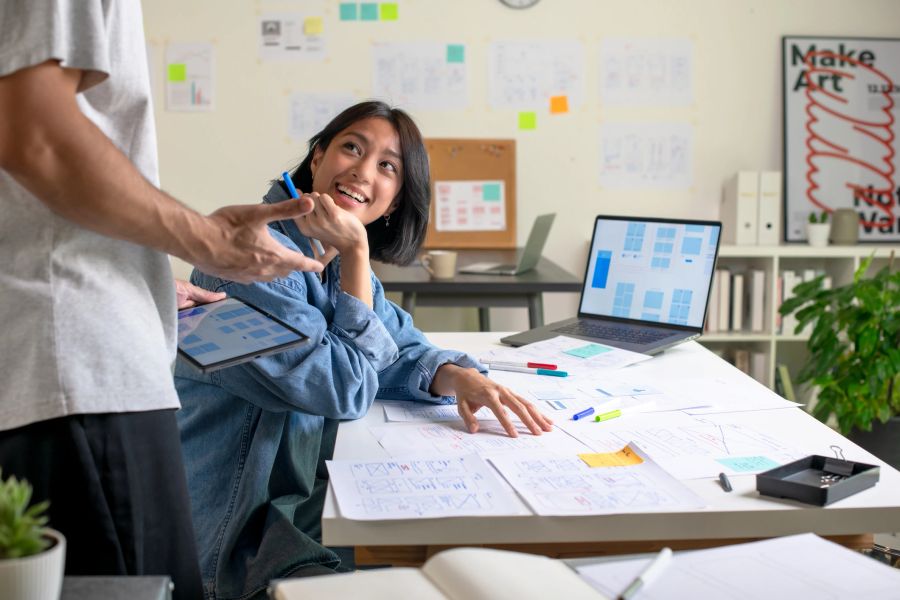
AI for Web Designers in Australia: The Complete Guide (2026)
A practical guide for Australian web designers on using AI to design faster, generate assets, write better copy, and stay competitive in a rapidly changing industry in 2026.
AI for Web Designers in Australia: The Complete Guide (2026)
Web design in Australia is undergoing a significant shift. AI tools are changing how designers generate ideas, create assets, write copy, and build prototypes. For designers who adapt, the result is faster delivery and more time for the creative and strategic work that clients actually value. For those who don't, the competitive gap is widening.
This guide covers everything Australian web designers need to know about AI in 2026 — from the tools worth using to the skills worth protecting.
The Australian Web Design Landscape in 2026
Australia has a vibrant web design industry, with freelancers, boutique studios, and in-house teams serving businesses across every sector. The market is competitive, and clients increasingly expect faster turnaround, more iterations, and better results for the same budget.
AI tools are changing the economics of web design. Tasks that once took hours — generating layout variations, writing placeholder copy, creating icon sets, resizing images — can now be done in minutes. This is compressing timelines and changing what clients expect.
The designers thriving in this environment are those who use AI to handle the repetitive and time-consuming parts of the work, freeing themselves to focus on strategy, user experience, and the creative decisions that genuinely require human judgement.
What AI Can Do for Web Designers
Layout and wireframe generation AI tools can generate layout concepts from text descriptions or rough sketches. Describe a homepage for a Melbourne law firm and an AI tool will produce multiple layout options in seconds. These aren't final designs — they're starting points — but they dramatically accelerate the early stages of a project.
Image and asset generation AI image generators can create custom photography, illustrations, icons, and backgrounds on demand. For web designers, this means no more hunting through stock libraries for images that are almost right. You can generate exactly what you need — a specific scene, a particular style, a custom illustration — in minutes.
Copy and content AI writing tools can generate placeholder copy, headlines, calls to action, and even full page content. For designers who have always struggled with lorem ipsum, having realistic copy in mockups makes presentations more convincing and client feedback more useful.
Code generation AI coding assistants can translate designs into HTML and CSS, generate component code for popular frameworks, and help with the front-end implementation that many web designers handle themselves. This is particularly useful for designers who code but aren't primarily developers.
Accessibility checking AI tools can analyse designs for accessibility issues — colour contrast, text size, interactive element sizing — and suggest improvements. This is increasingly important as Australian businesses face growing awareness of accessibility obligations under the Disability Discrimination Act.
Client presentations AI can help write project proposals, create presentation decks, and generate multiple design variations quickly for client review. This reduces the time spent on business development and makes pitches more compelling.
The Best AI Tools for Australian Web Designers
Figma AI Figma has integrated AI throughout its design platform. The AI features include auto-layout suggestions, component generation from descriptions, and the ability to generate design variations. For designers already using Figma — which is most of the industry — these features are immediately accessible without changing tools.
Adobe Firefly Adobe's AI image generation tool is integrated into Photoshop, Illustrator, and other Creative Cloud applications. Firefly is trained on licensed content, which matters for commercial work where image rights are important. Australian designers using the Adobe suite can access Firefly directly within their existing workflow.
Midjourney and DALL-E 3 For generating custom imagery, Midjourney and DALL-E 3 produce high-quality results. Midjourney tends to produce more stylistically distinctive images; DALL-E 3 (via ChatGPT) is better at following specific instructions. Both are useful for generating hero images, illustrations, and visual concepts.
Framer AI Framer is a web design and publishing tool with strong AI features. It can generate entire website layouts from text descriptions, making it useful for rapid prototyping and for clients who want to see a realistic mockup quickly. The published output is production-ready, which is useful for smaller projects.
Webflow + AI Webflow has added AI features for generating layouts and copy. For designers who use Webflow for client sites, these features reduce the time spent on initial setup and content population.
Relume Relume is an AI-powered sitemap and wireframe generator specifically for web designers. Describe a website and it generates a complete sitemap and wireframe structure, which can be exported to Figma. It's particularly useful for the early stages of a project when you're defining scope and structure.
ChatGPT and Claude For copy generation, content strategy, and client communication, ChatGPT and Claude are both useful. Describe the client's business and target audience and ask for homepage copy, about page content, or calls to action. The output needs editing, but it's a much faster starting point than writing from scratch.
Practical AI Workflows for Australian Web Designers
Discovery and strategy phase Use AI to research the client's industry, competitors, and target audience. Ask ChatGPT or Claude to summarise the competitive landscape, identify design conventions in the industry, and suggest differentiation opportunities. This gives you a stronger foundation for design decisions and makes client conversations more informed.
Concept development Use Relume to generate an initial sitemap and wireframe structure. Use Figma AI or Framer to generate layout concepts. Use Midjourney or Adobe Firefly to generate visual mood board images. This phase, which once took days, can now be completed in hours.
Design development Use AI image generation for custom photography and illustrations. Use AI copy tools to populate designs with realistic content. Use Figma AI for component variations and layout adjustments. Focus your own time on the design decisions that require judgement — hierarchy, typography, colour, user experience.
Client presentation Use AI to generate multiple design variations quickly, giving clients genuine choices rather than a single direction. Use AI to write presentation narratives and talking points. More options, better presented, in less time.
Handoff and implementation Use AI coding tools to generate HTML/CSS from designs. Use accessibility checkers to identify issues before handoff. Use AI to write technical documentation for developers.
Australian-Specific Considerations
Accessibility obligations The Disability Discrimination Act 1992 and the Web Content Accessibility Guidelines (WCAG) create obligations for Australian businesses. AI accessibility tools can help identify issues, but designers need to understand the underlying principles — AI tools catch obvious problems but miss context-dependent accessibility issues.
Privacy and image rights Australian privacy law and copyright considerations apply to AI-generated content. For commercial work, use AI tools trained on licensed content (like Adobe Firefly) or ensure you have appropriate rights to use generated images. Be transparent with clients about the use of AI-generated assets.
Client expectations Australian clients are increasingly aware of AI tools and have mixed feelings about them. Some see AI as a way to get more for less; others are concerned about originality and authenticity. Be prepared to have honest conversations about how you use AI in your process and what value you add beyond what AI can do alone.
The freelance market Many Australian web designers work as freelancers or in small studios. AI tools are particularly valuable in this context — they allow individuals and small teams to compete with larger agencies on speed and output volume. The designers who are thriving are those who have integrated AI into their workflow without losing the strategic and creative thinking that clients pay for.
What AI Cannot Do for Web Designers
Understand your client's business AI can generate layouts and copy, but it doesn't know your client's brand, their customers, their competitive position, or the specific problems they're trying to solve. The strategic thinking that turns a brief into a design that actually works for the client requires human understanding.
Make aesthetic judgements AI can generate many options, but it can't tell you which one is right for this client, this audience, and this context. Aesthetic judgement — knowing what will resonate, what feels authentic, what communicates the right message — is a human skill.
Build client relationships The relationships that generate repeat business and referrals are built on trust, communication, and genuine understanding of the client's goals. AI doesn't replace this.
Navigate complex briefs Real client briefs are messy, contradictory, and incomplete. Turning a vague brief into a clear design direction requires asking the right questions, managing expectations, and making judgement calls. AI can help with parts of this, but the core skill is human.
Building a Sustainable AI-Enhanced Practice
The web designers building sustainable practices in 2026 are using AI to do more, not to charge less. They're using the time saved on repetitive tasks to do better strategy, more iterations, and stronger client communication.
The risk is the opposite: using AI to cut corners, deliver lower-quality work faster, and compete on price. This is a race to the bottom that benefits no one.
Use AI to raise the quality and speed of your work. Invest the time saved in the parts of the job that require genuine expertise. That's where the value is, and that's what clients will continue to pay for.
Stay informed
Get AI news every Friday
The AI Digest delivers the week's most important AI stories — free, in plain English.
Subscribe free →Related Articles
More Professions →
AI for Interior Designers in Australia: The Complete Guide (2026)
How Australian interior designers are using AI in 2026 — from concept development and space planning to specification research, visualisation, and running a sustainable design practice.
AI for Graphic Designers in Australia: The Complete Guide (2026)
How Australian graphic designers are using AI in 2026 — from generating concepts and automating repetitive tasks to client communication, brand work, and staying competitive in a changing industry.
AI for UX Designers in Australia: The Complete Guide (2026)
A practical guide for Australian UX designers on using AI to accelerate research, generate prototypes, analyse user data, and deliver better experiences — without losing the human insight that makes UX valuable.