
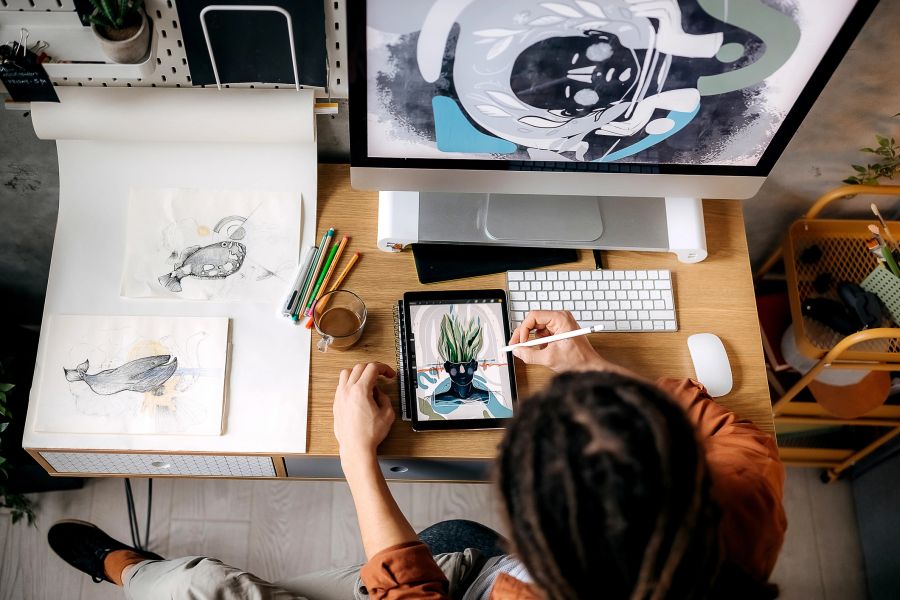
AI for Graphic Designers in Australia: The Complete Guide (2026)
How Australian graphic designers are using AI in 2026 — from generating concepts and automating repetitive tasks to client communication, brand work, and staying competitive in a changing industry.
The State of Graphic Design in Australia in 2026
Graphic design in Australia spans an enormous range of work — brand identity, packaging, digital interfaces, editorial layouts, environmental graphics, motion design, and more. Practitioners range from solo freelancers working across multiple clients to in-house designers embedded in large organisations, and studios of varying sizes serving everything from local small businesses to national brands.
What has changed significantly in recent years is the toolset. AI-assisted design tools have moved from novelty to mainstream, and Australian graphic designers are navigating a genuine shift in how creative work gets done — not just in terms of speed, but in terms of what clients expect, what workflows look like, and what skills matter most.
This guide covers how Australian graphic designers are using AI in 2026, which tools are delivering real results, and what to watch out for.
How AI Is Being Used in Australian Graphic Design
Concept Generation and Ideation
One of the most significant changes AI has brought to graphic design is in the early stages of a project. Generating visual concepts, exploring directions, and presenting options to clients used to require substantial time investment before a single piece of feedback was received. AI image generation tools have compressed that timeline considerably.
Designers are using tools like Adobe Firefly — integrated directly into Photoshop and Illustrator — to generate rough visual directions from text prompts, which can then be refined, redrawn, or used as reference for original work. This is not about replacing the designer's creative judgment; it is about generating more starting points faster, so the creative conversation with a client can begin earlier.
The key distinction that experienced designers make is between using AI-generated imagery as a springboard and using it as a final output. For most professional work — particularly brand identity, where originality and distinctiveness are central — AI-generated concepts serve as a starting point that the designer then develops into original work.
Layout and Composition Assistance
AI tools embedded in design software are increasingly capable of suggesting layout options, adjusting spacing and hierarchy, and flagging accessibility issues such as insufficient colour contrast. Adobe's generative fill and layout tools can extend backgrounds, remove unwanted elements, and suggest compositional alternatives — tasks that previously required significant manual effort.
For designers working at volume — producing large numbers of social media assets, email templates, or presentation decks — these tools can dramatically reduce the time spent on repetitive production work, freeing capacity for higher-value creative decisions.
Brand and Visual Identity Work
Brand identity work remains one of the areas where human creative judgment is most valued, and where AI tools are most useful as assistants rather than replacements. Designers are using AI to:
- Generate colour palette options and test combinations for accessibility compliance
- Explore typographic pairings across a wider range of options than manual testing allows
- Create mockups and visualisations of brand applications across different surfaces and contexts
- Produce variations of logo lockups and brand elements for different use cases
The Australian Graphic Design Association (AGDA) has noted that the fundamental skills of brand design — understanding a client's business, their audience, and the strategic role of visual identity — remain distinctly human. AI tools accelerate execution; they do not replace strategic thinking.
Client Communication and Presentation
AI tools are also changing how designers communicate with clients. Generative tools make it faster to produce polished presentation decks, annotated concept boards, and visual rationales. AI writing tools help designers articulate the reasoning behind creative decisions in clear, professional language — particularly useful for designers who are stronger visually than verbally.
Some designers are using AI to draft client briefs, project proposals, and scope-of-work documents, which reduces administrative overhead and allows more time for the actual design work.
Production and Retouching
For production-heavy work — photo retouching, background removal, image resizing for multiple formats, and colour correction — AI tools have made significant inroads. Tasks that previously took hours can now be completed in minutes. Adobe Photoshop's AI-powered tools, along with dedicated tools like Remove.bg and Topaz Labs, have become standard parts of many designers' production workflows.
The Australian Design Industry Context
The Design Institute of Australia (DIA) represents design professionals across the country and has been tracking the impact of AI on the profession. The DIA's position is that AI is a tool that changes the nature of design work rather than eliminating it — the demand for strategic, conceptual, and client-facing design skills remains strong, while purely production-based work is increasingly automated.
Australian designers working in regulated industries — financial services, healthcare, government — need to be aware that AI-generated content used in communications may be subject to the same compliance requirements as any other content. The Australian Competition and Consumer Commission (ACCC) has made clear that consumer protection laws apply regardless of whether content was created by a human or an AI tool.
For designers working with client data — brand assets, unreleased campaign materials, confidential product information — the Privacy Act 1988 applies to how that data is handled. Using client materials as inputs to cloud-based AI tools raises questions about data handling that designers should discuss with clients before proceeding.
Practical Workflow Integration
Starting a Project
A practical AI-assisted workflow for a brand identity project might look like this:
- Brief and research phase: Use AI tools to summarise competitor visual landscapes, identify relevant design trends, and generate a mood board of reference directions.
- Concept generation: Use generative tools to produce rough visual directions — not final designs, but starting points for creative exploration.
- Refinement: Develop the most promising directions into original work using traditional design tools, with AI assisting in specific tasks like colour palette generation, typography testing, and mockup creation.
- Presentation: Use AI writing tools to draft the creative rationale and presentation narrative.
- Production: Use AI production tools for resizing, format adaptation, and asset preparation.
This workflow does not replace the designer's creative judgment at any stage — it accelerates the mechanical and exploratory parts of the process.
Managing AI Tool Costs
Most professional AI design tools operate on subscription models. Adobe Creative Cloud, which includes Firefly generative credits, is the most widely used platform among Australian designers. Pricing changes frequently, so checking current rates directly with Adobe is recommended. Standalone AI tools like Midjourney, DALL-E, and Stable Diffusion have their own pricing structures.
For freelancers and small studios, the cost of AI tools needs to be weighed against the time savings they deliver. For designers working at volume, the return on investment is generally clear. For designers doing primarily strategic or conceptual work, the calculus is more nuanced.
What AI Cannot Do for Graphic Designers
Understanding the limits of AI tools is as important as understanding their capabilities.
Strategic thinking: AI tools cannot understand a client's business, their competitive context, or the strategic role that visual communication plays in their organisation. This remains entirely human work.
Original creative vision: AI generates outputs based on patterns in existing work. Genuinely original creative directions — work that breaks conventions rather than recombining them — still require human creative thinking.
Client relationships: The trust-based relationships that sustain a design practice are built through human interaction, empathy, and professional judgment. AI tools do not replace this.
Ethical judgment: Decisions about what is appropriate to create — what imagery is respectful, what representations are accurate, what content serves the client's audience well — require human judgment that AI tools cannot reliably provide.
Accountability: When design work is used in regulated contexts — financial services, healthcare, government — a human professional is accountable for its accuracy and appropriateness. AI tools do not carry professional accountability.
The Skills That Matter Most in 2026
The graphic designers who are thriving in the current environment tend to share a few characteristics:
- Strong conceptual and strategic skills: The ability to understand a brief deeply and develop genuinely original creative responses is more valuable than ever, precisely because AI tools have made execution faster and cheaper.
- AI tool fluency: Knowing which tools to use for which tasks, and how to get useful outputs from them, is now a baseline professional skill.
- Client communication: The ability to articulate creative decisions, manage expectations, and build trust with clients remains a significant differentiator.
- Business acumen: Understanding how to price work, manage projects, and build a sustainable practice is increasingly important as the market evolves.
This Guide Is Part of a Series
This article is the starting point for the AI We series on AI for graphic designers. The cluster covers the specific AI tools Australian graphic designers are using, ready-to-use ChatGPT prompts for design work, deep-dive articles on AI for brand identity, AI for production workflows, AI for client communication, and the mistakes to avoid.
Stay informed
Get AI news every Friday
The AI Digest delivers the week's most important AI stories — free, in plain English.
Subscribe free →Related Articles
More Professions →
AI for Interior Designers in Australia: The Complete Guide (2026)
How Australian interior designers are using AI in 2026 — from concept development and space planning to specification research, visualisation, and running a sustainable design practice.
AI for UX Designers in Australia: The Complete Guide (2026)
A practical guide for Australian UX designers on using AI to accelerate research, generate prototypes, analyse user data, and deliver better experiences — without losing the human insight that makes UX valuable.
AI for Web Designers in Australia: The Complete Guide (2026)
A practical guide for Australian web designers on using AI to design faster, generate assets, write better copy, and stay competitive in a rapidly changing industry in 2026.